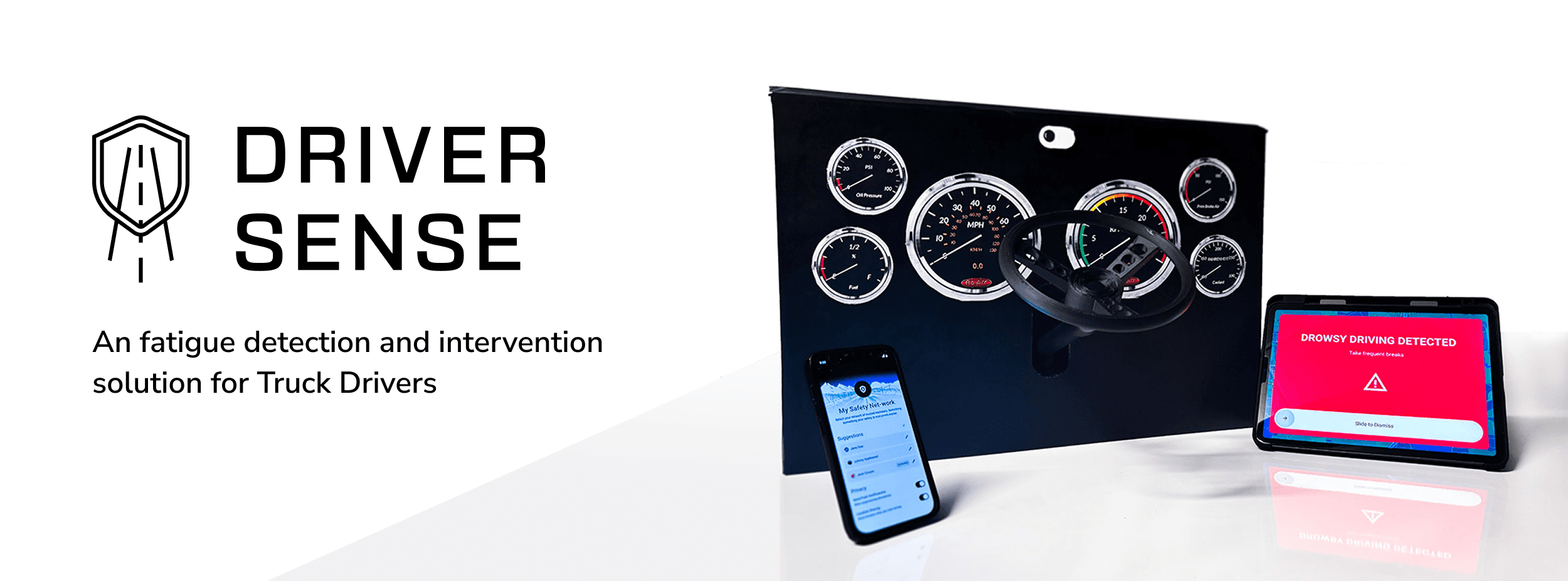
OVERVIEW
Role
UX Researcher
IoT Architect
Team
Vardan Sargsyan
Interaction Design
Dhwani Rayathatha
Project Manager
Gagana Jadhav
UX Writing
Oresti Dine
UX Design
Skills
Automotive UX, Mixed Methods Research, Cross-functional Collaboration, Human Factors , Interaction Design, IoT Prototyping, Systems Thinking
Timeline
Sep 2024 - Dec 2024 (4 months)
OUTCOME
Validated a multi-stage fatigue intervention model
through real-world scenarios and iterative prototyping
Won two design awards
for "most innovative product' and "most convincing demo"
CONTEXT
This project was completed as a part of the course deliverable for the class SI 612: Pervasive Interaction Design at the University of Michigan. The goal was to design an innovative product that uses an IoT (Internet of Things) network to interact with its users. This included processes such as scoping the problem, conducting research, designing an interactive physical prototype which works in tandem with the IoT system.
THE PROBLEM
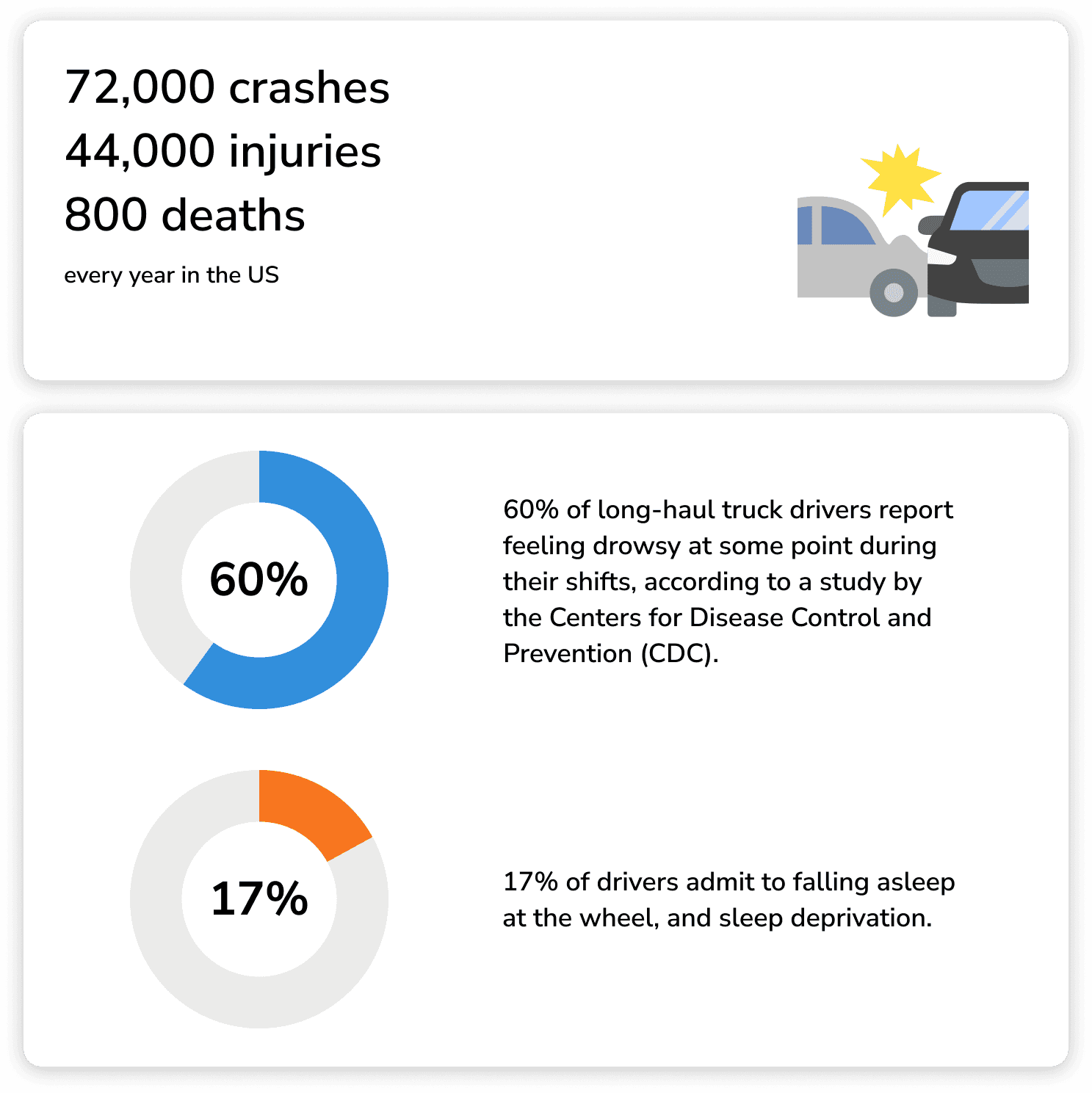
Drowsy driving is a fatal problem in the United States…
Problem Statement
“How might we help truck drivers stay alert and engaged during long-distance trips, promote safer driving and reduce the risk of accidents?”
Here’s a product demo of the DriverSense: Drowsy Driver Detection and Intervention System. This video showcases a scenario where a driver repeatedly shows signs of drowsiness and how the DriverSense System intervenes and keeps him alert and safe.
RESEARCH METHODS
Diary Studies and Surveys
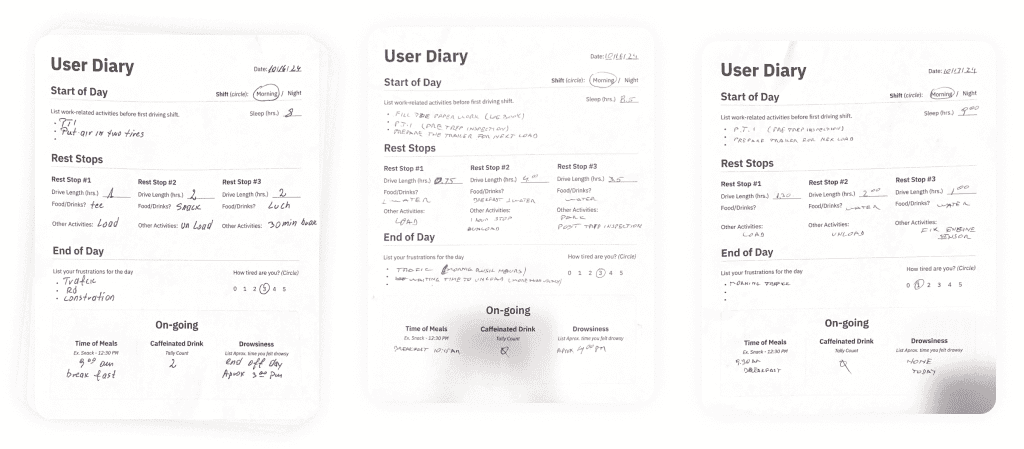
To explore factors contributing to drowsy driving among truck drivers, we conducted a week-long diary study where 7 participants documented daily activities, fatigue levels, and consumption habits.
Structured entries at the start of the day, during rest stops, and at the day’s end enabled qualitative and quantitative analysis of behaviors and trends over time.
We conducted a survey to gain self-reported insights on fatigue-prevention strategies among truck drivers. The survey focused on understanding demographics, consumption habits, work routines, sleep quality, causes of fatigue, and attitudes toward autonomous driving features.
The survey revealed self-reported input on effective fatigue-prevention strategies and technology preferences while driving that helped shape our solution.
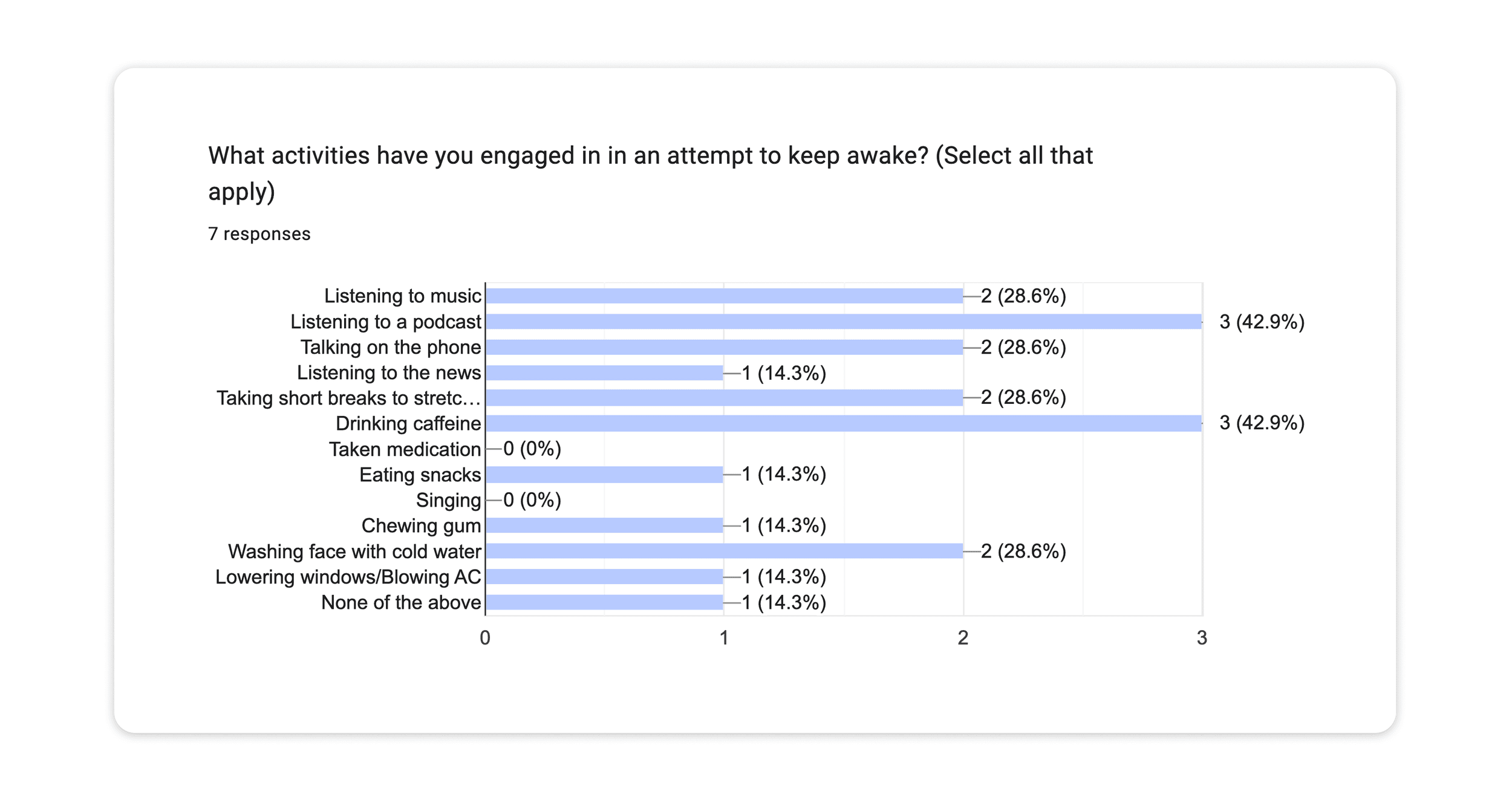
Key Insights
Combining these two studies allowed us to draw key takeaways about user demographics, behaviors, and attitudes. We used these findings to inform the rest of our design decisions.
Most drivers feel fatigue near the shift's end
Truckers also expend energy outside of driving.
Coffee is a common fatigue prevention method
Traffic and harsh weather are major stressors
CONCEPT IDEATION
User Enactments
For our user enactment study, we leveraged insights from the diary study and survey to identify four key features to address drowsy driving: an alarm system, rest stop suggestions, AI podcast interactions, and emergency phone calls from close contacts. We brainstormed and evaluated potential solutions, merging the most promising concepts into a cohesive experience prototype. This prototype was then tested to assess its effectiveness in mitigating driver fatigue.
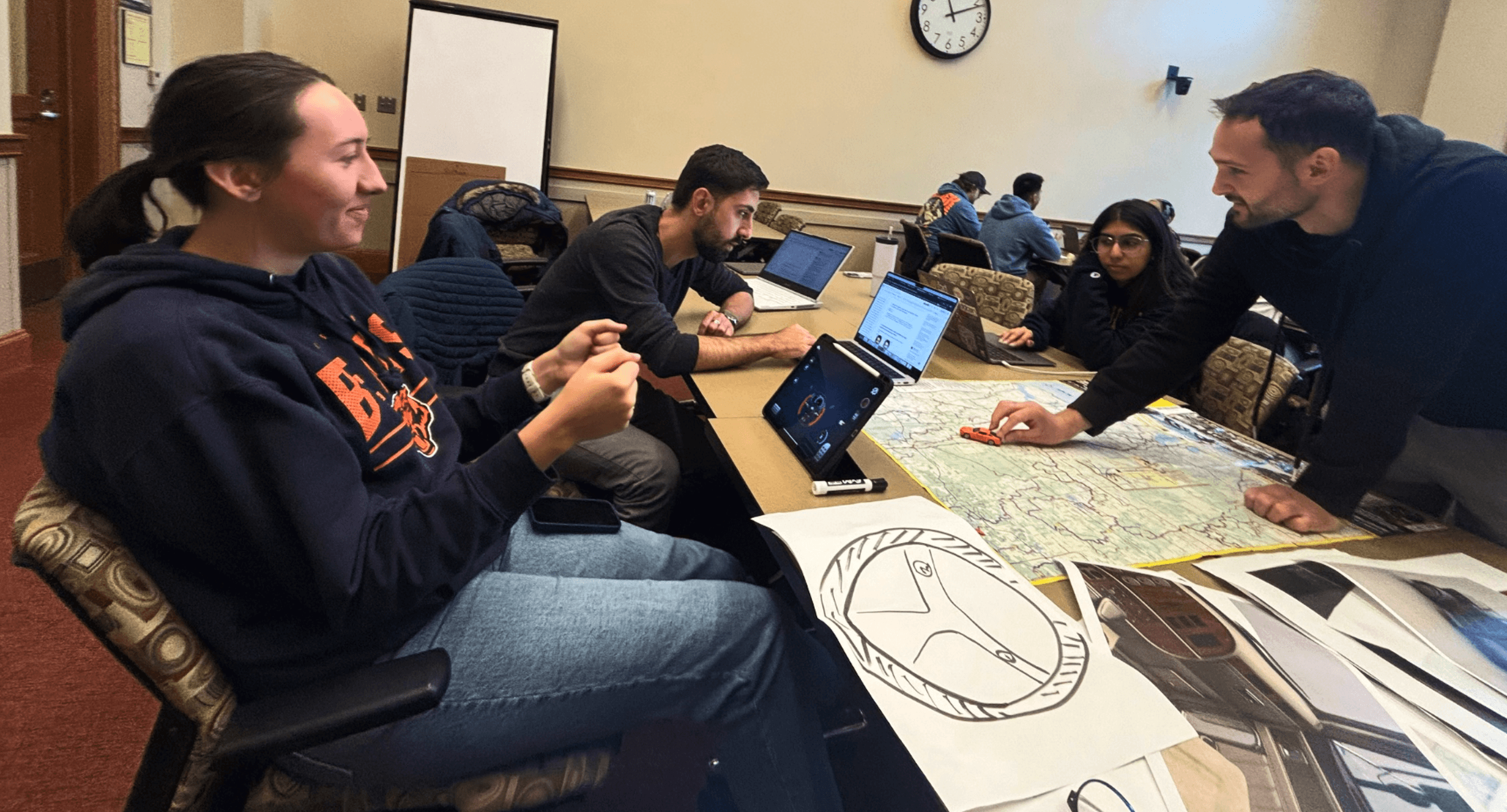
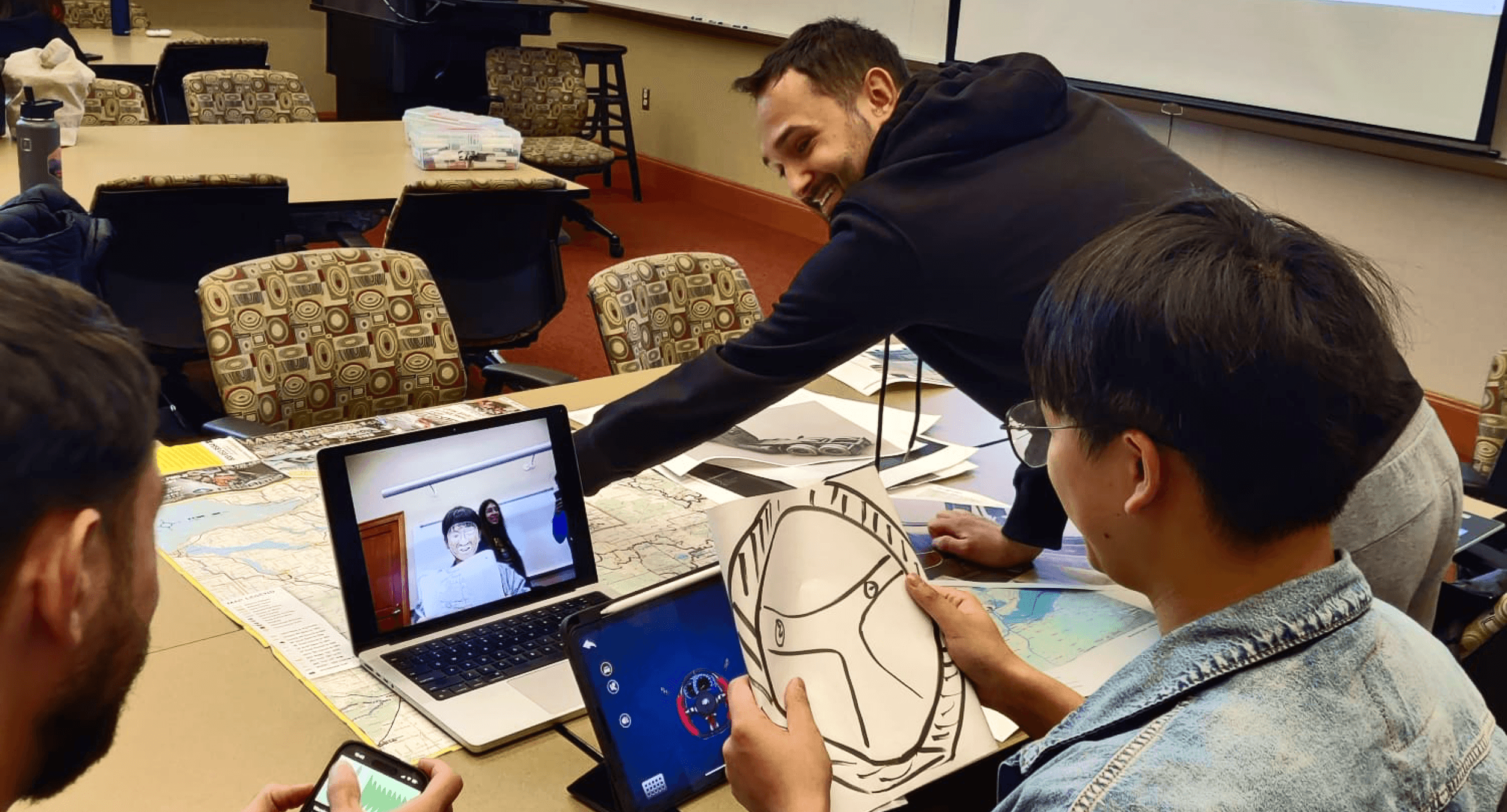
Key Findings
Participants found the alarm feature useful for combating drowsiness but emphasized the need for a sound that is intrusive enough to be effective without being startling.
The AI podcast feature was removed after participants found it distracting and annoying, especially in traffic situations.
Participants preferred control over IoT features, including deciding when features activate and which contacts are notified, highlighting the importance of customizable user settings. on third-party APIs that lack detailed, route-specific risk awareness.
PROTOTYPING
Prototype Components
To detect fatigue, we explored open-source optical sensing solutions from Google Labs.
With optical sensing as the primary sensor, we also identified other IOT components as necessary outputs: vibration, sound, voice, and Bluetooth.
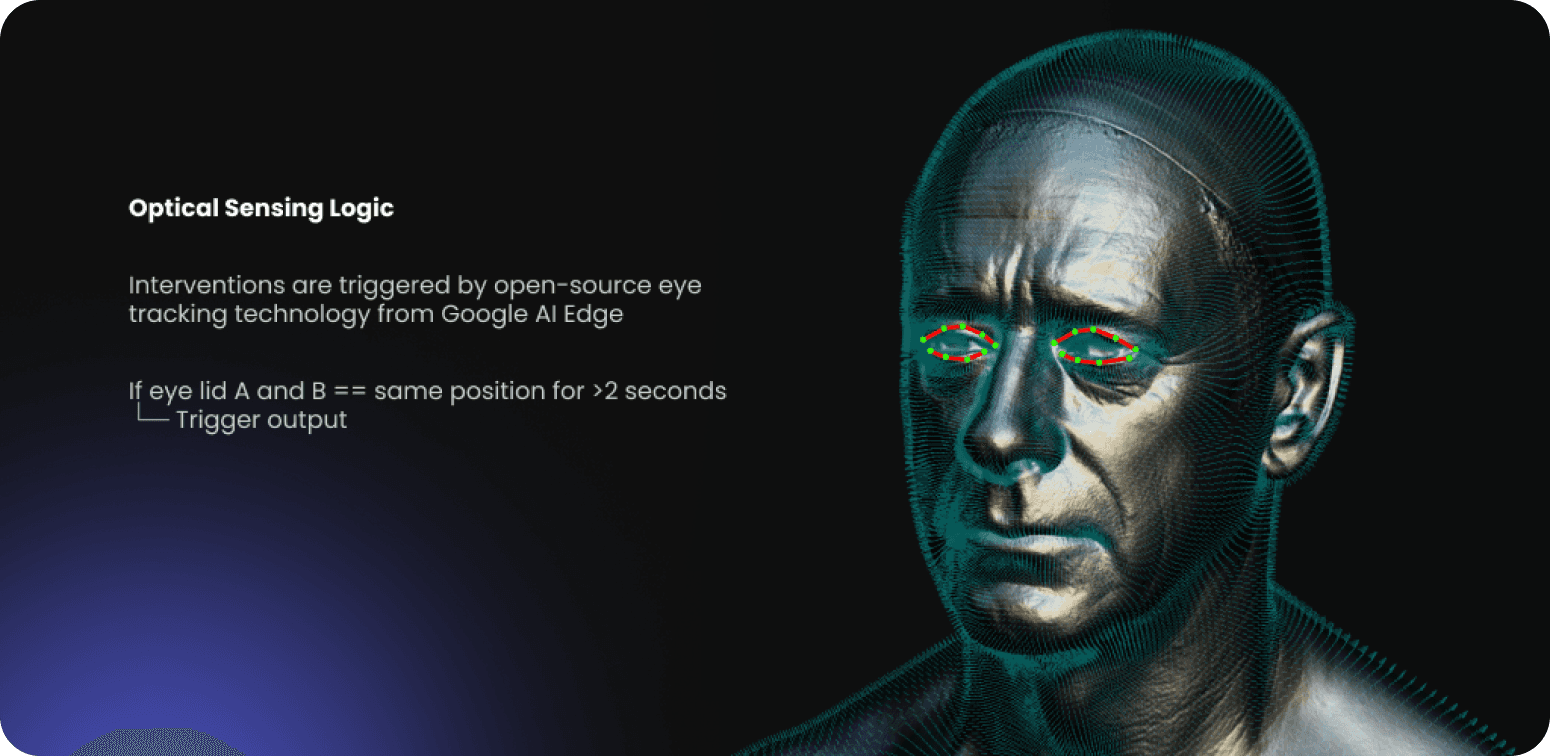
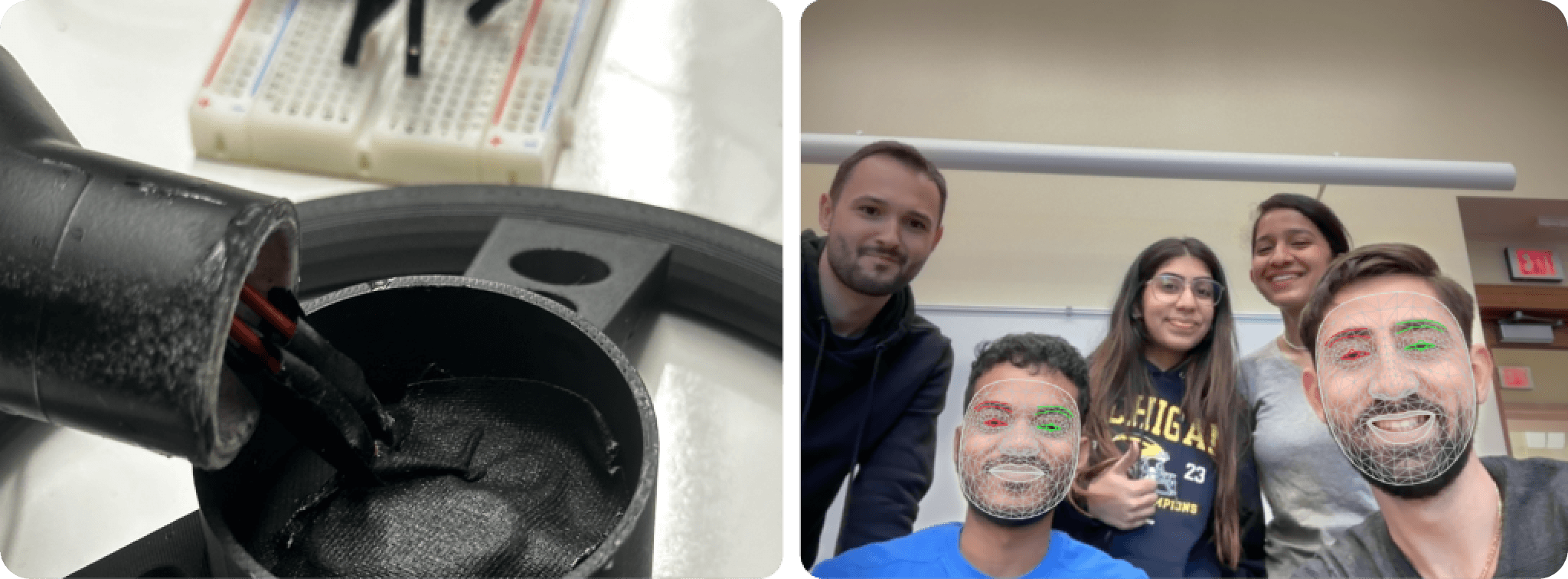
Behind the Scenes
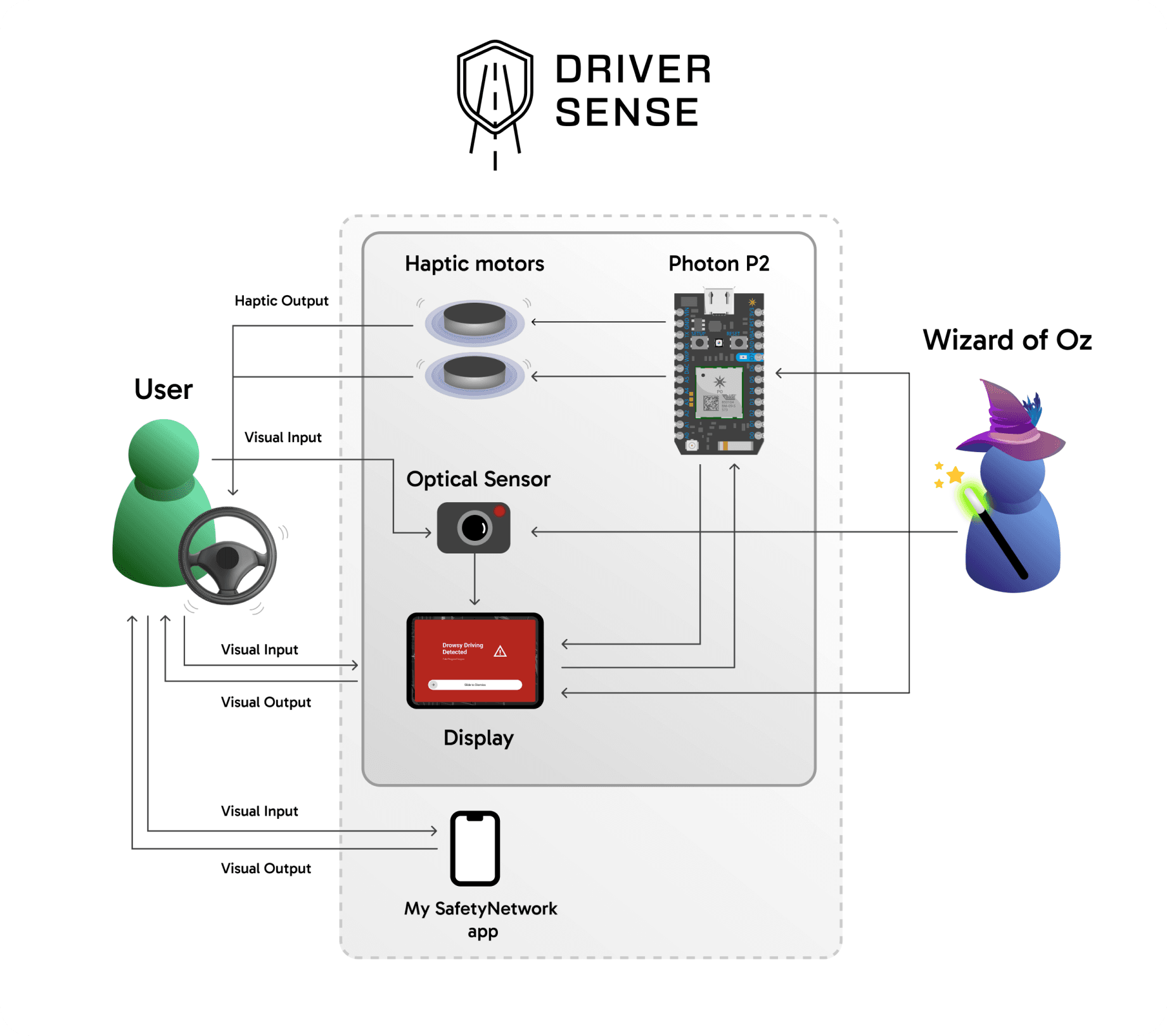
KEY FEATURES
DriverSense intervenes through three escalating steps, moving from awareness to assistance to human support when fatigue becomes a serious risk.
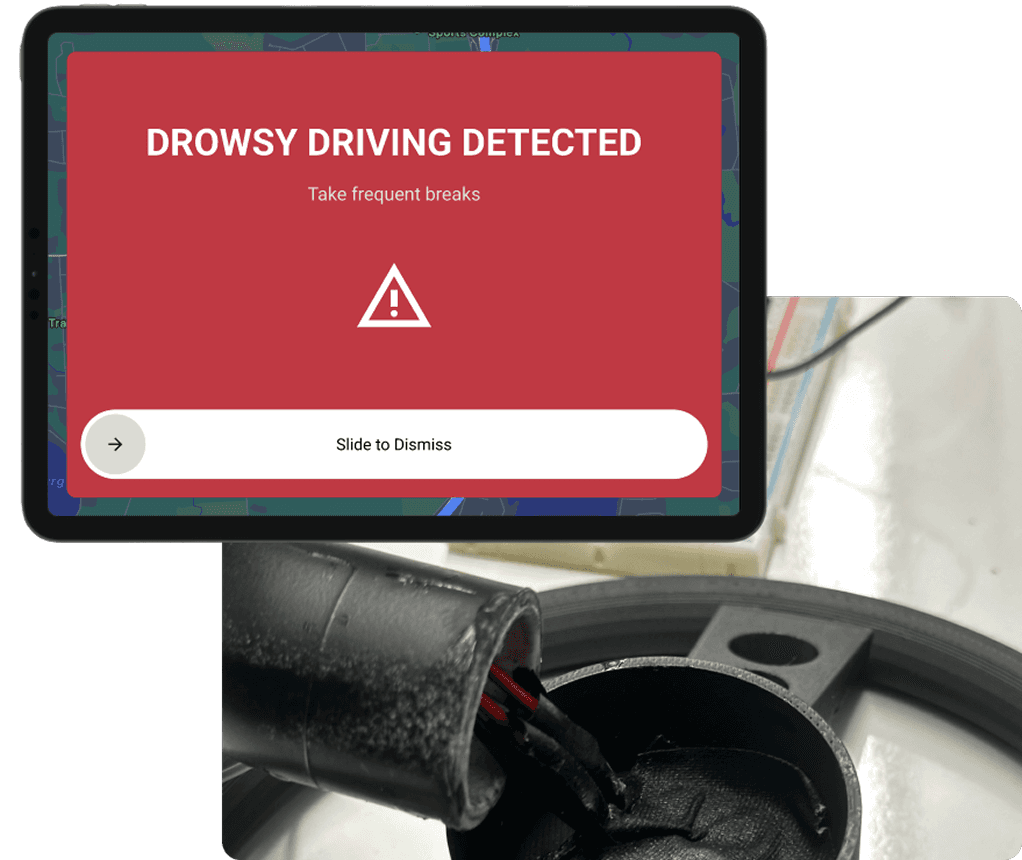
Stage 1: Audio and Vibration Alert
The first response is subtle and immediate. As soon as early signs of fatigue are detected, the system uses sound and steering wheel vibrations to pull the driver’s attention back to the road. It’s designed to be noticeable without being startling, enough to break autopilot and prompt awareness. The driver actively dismisses the alert with a simple on-screen gesture, keeping them engaged rather than passively ignoring the warning. If fatigue continues, the system escalates.
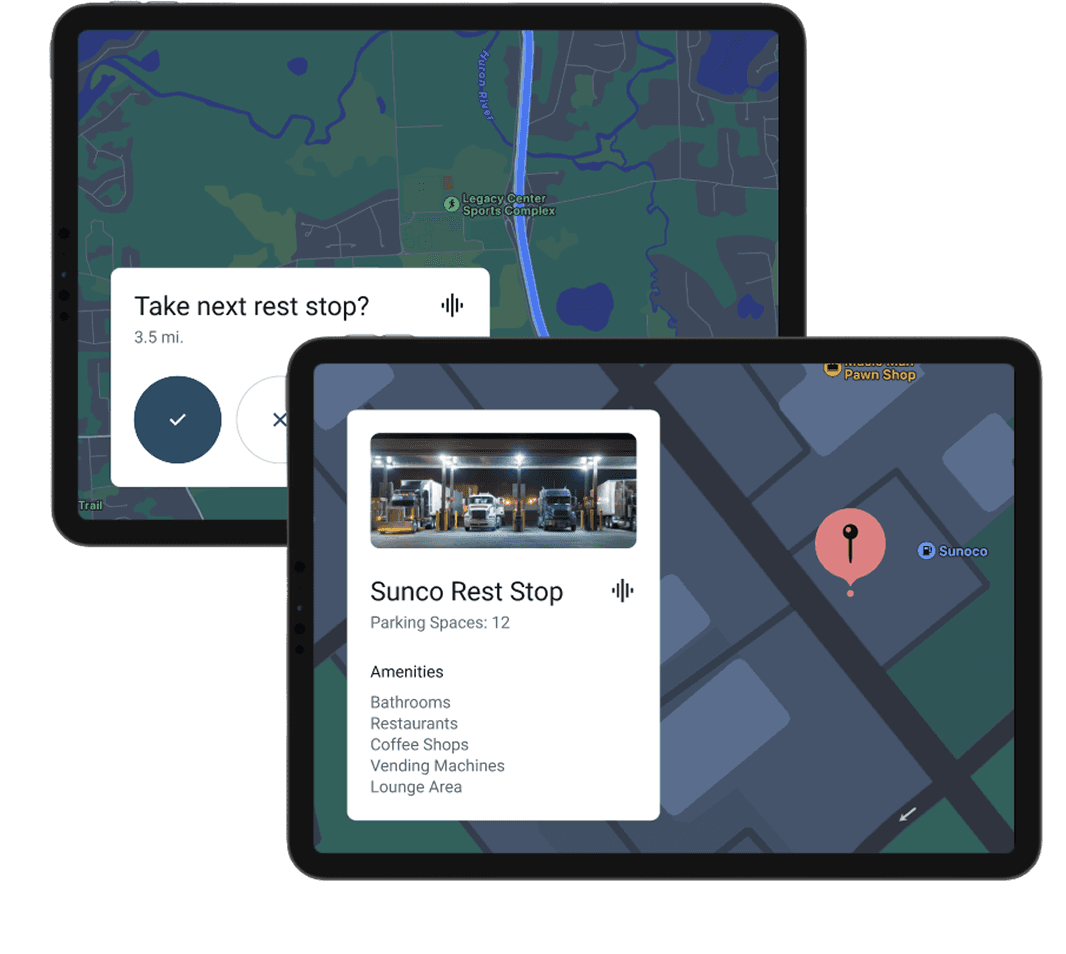
Stage 2: Rest Stop Suggestion
If the driver remains drowsy, the system shifts from alerting to assisting. Instead of repeating alarms, it suggests taking the next available rest stop and shows exactly where it is. Navigation is automatically adjusted, and clear details like food options, bathrooms, and parking availability are surfaced to remove friction. At this stage, the system nudges the driver toward self-care without forcing a decision.
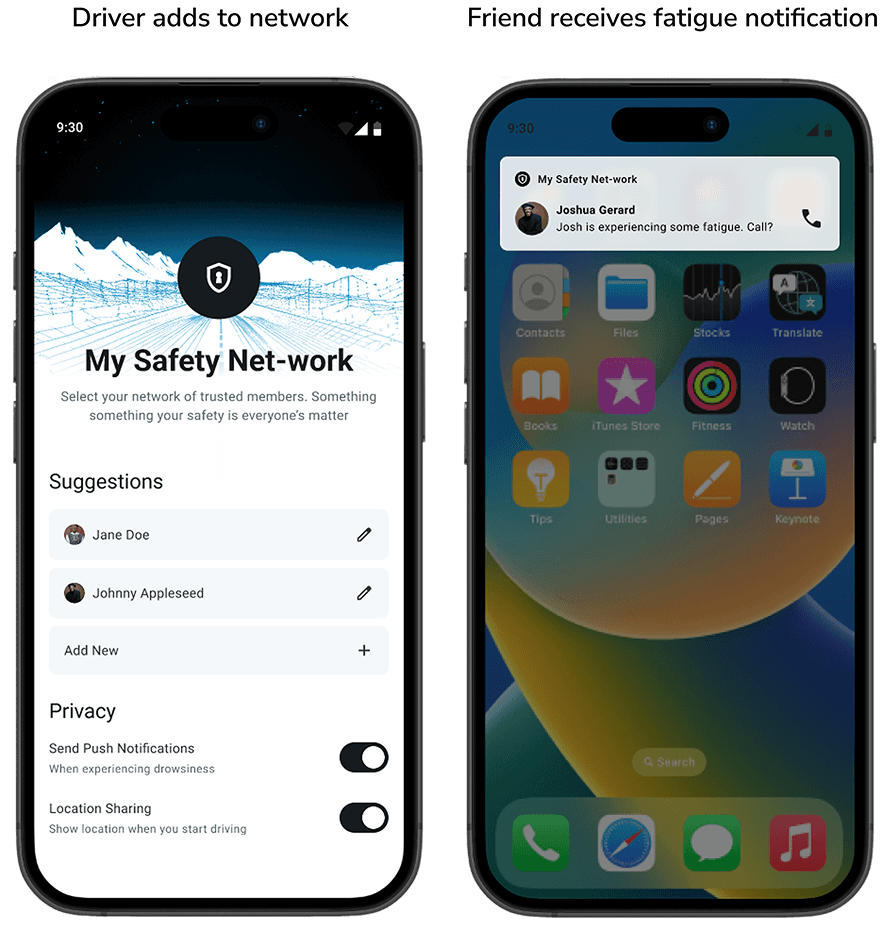
Stage 3: Phone Call Push Notification
When fatigue persists despite earlier interventions, the system acknowledges that the driver may need help beyond the vehicle. A trusted contact from the driver’s safety network is notified, giving them the option to check in or call. Location sharing and notifications are fully configurable, keeping the driver in control while adding a human layer of accountability.
RESULTS
These awards were presented to our team (among 6 total) during the final presentations for the course SI 612 - Pervasive Interaction Design
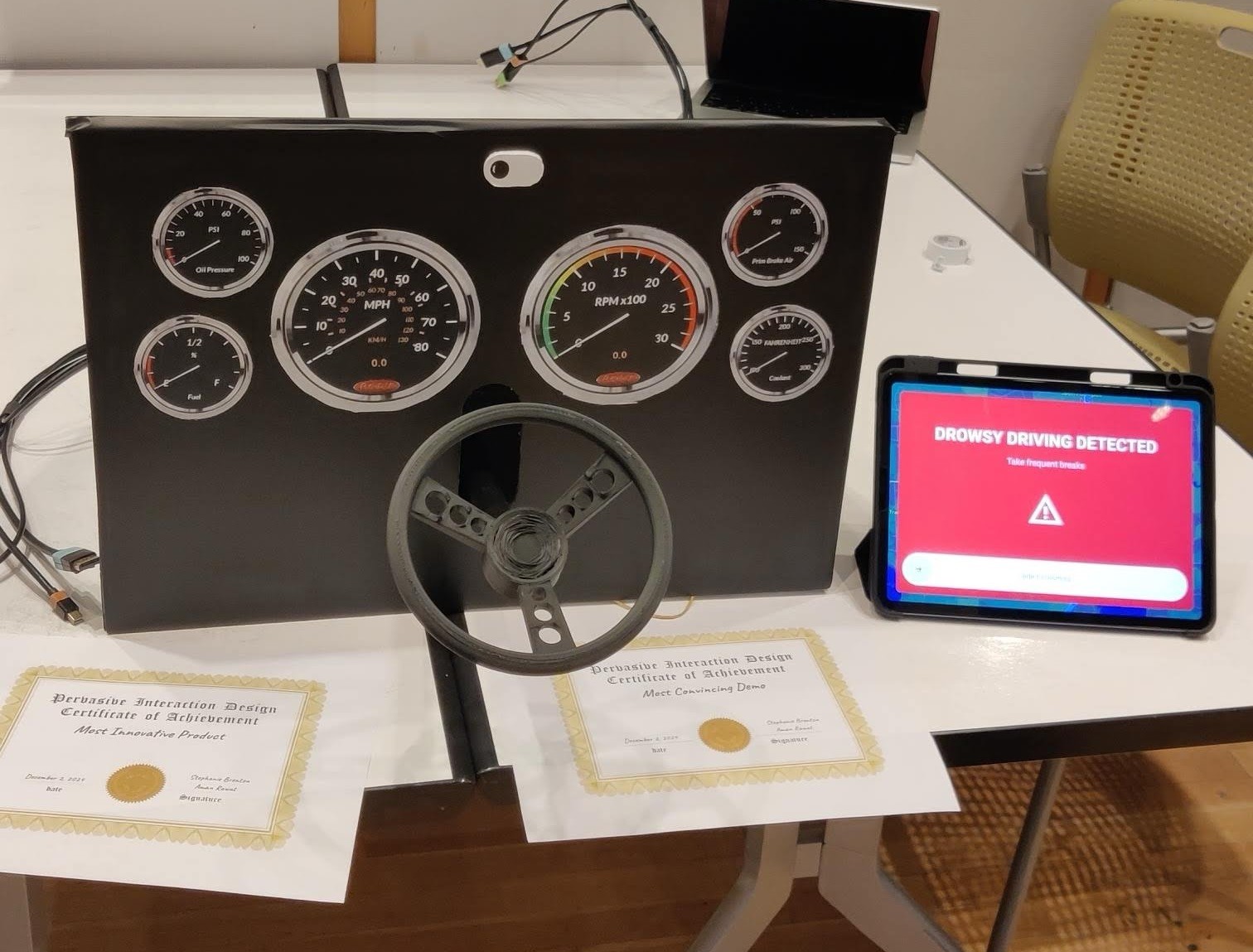
Most Innovative Product
Most Convincing Demo
REFLECTIONS
Raw research reveals real behavior
Diary studies and surveys gave us direct access to the everyday realities of truck drivers, beyond what interviews alone could surface. Seeing patterns in routines, fatigue triggers, and self-care habits helped us ground the solution in real behavior rather than assumptions, shaping decisions that felt practical and relevant.
Acting out scenarios exposes hidden gaps
User enactments played a key role in pressure-testing our ideas. Walking through real driving scenarios helped us quickly identify what would not work and surfaced missing variables we had overlooked during ideation. This process pushed the design toward more realistic, context-aware interventions.
Building physically changes how teams collaborate
Unlike most UX projects, this work required hands-on prototyping and a working understanding of basic circuitry. By assigning clear ownership across design, hardware, and system integration, each team member led a critical part of the project. This structure strengthened accountability, boosted confidence, and improved overall team morale.