OVERVIEW
Role
UI/UX Designer
Team
Nikesh Kumar
UX Research/Design
Emma Zhang
Project Manager
Junhee Chung
UX Writing
Summer Huang
Content Design
Skills
Automotive UX, Mixed Methods Research, Cross-functional Collaboration, Interaction Design, Accessibility Design, Design Systems, Stakeholder Communication
Timeline
Jan 2025 - April 2025 (4 months)
OUTCOME
System Usability Scale score of 95
out of a total 101 points
Achieved an 85% willingness to use
by aligning the solution with driver needs
Balanced user needs for drivers of all ages
Through accessibility and personalization
CONTEXT
Hyundai Motor Group’s initiative, “AI for Vehicle UX – Toward Accessible Interfaces for All”, explores how AI can create safer, more inclusive in-vehicle experiences for diverse drivers. The focus extends beyond extreme external conditions to include the emotional and cognitive states drivers experience on the road. Since this area of research is extensive, our team at the University of Michigan focused on identifying a use-case where AI could be seamlessly embedded to enhance the driving experience rather than positioned as a standalone feature.
THE PROBLEM
Through user interviews, we began to see a consistent pattern in how drivers perceived AI in high-stress driving situations, particularly where accidents almost/ could've taken place. Participants appreciated AI-assisted features that offered timely support on unfamiliar routes and during severe weather, especially when driving alone. However, trust quickly diminished when AI appeared overly autonomous or opaque. Drivers wanted systems that were simple, predictable, and transparent, with clear human control.
With these insights, we reframed the problem toward leveraging AI to help drivers make safer, more informed decisions, while preserving human judgment and control in critical moments.
Problem Statement
“How might we leverage AI to help drivers navigate unfamiliar routes safely in severe weather when driving alone for Hyundai vehicles?
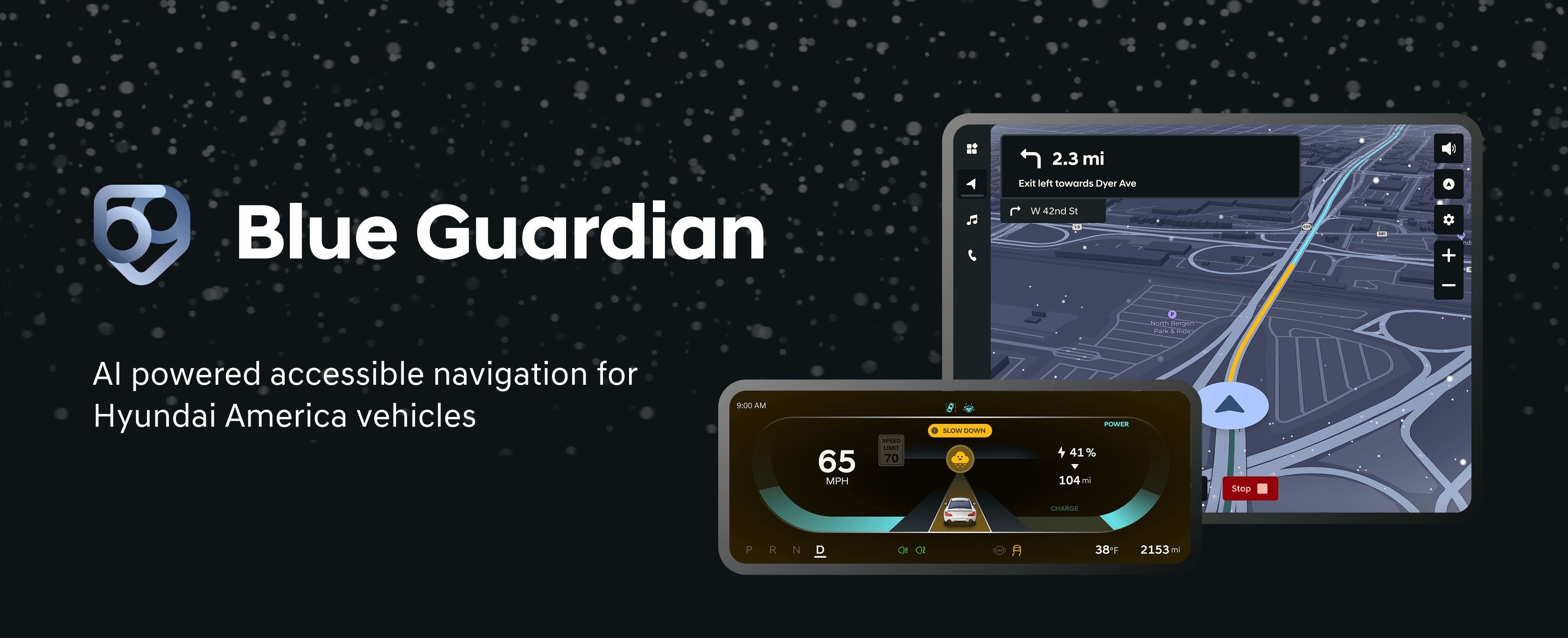
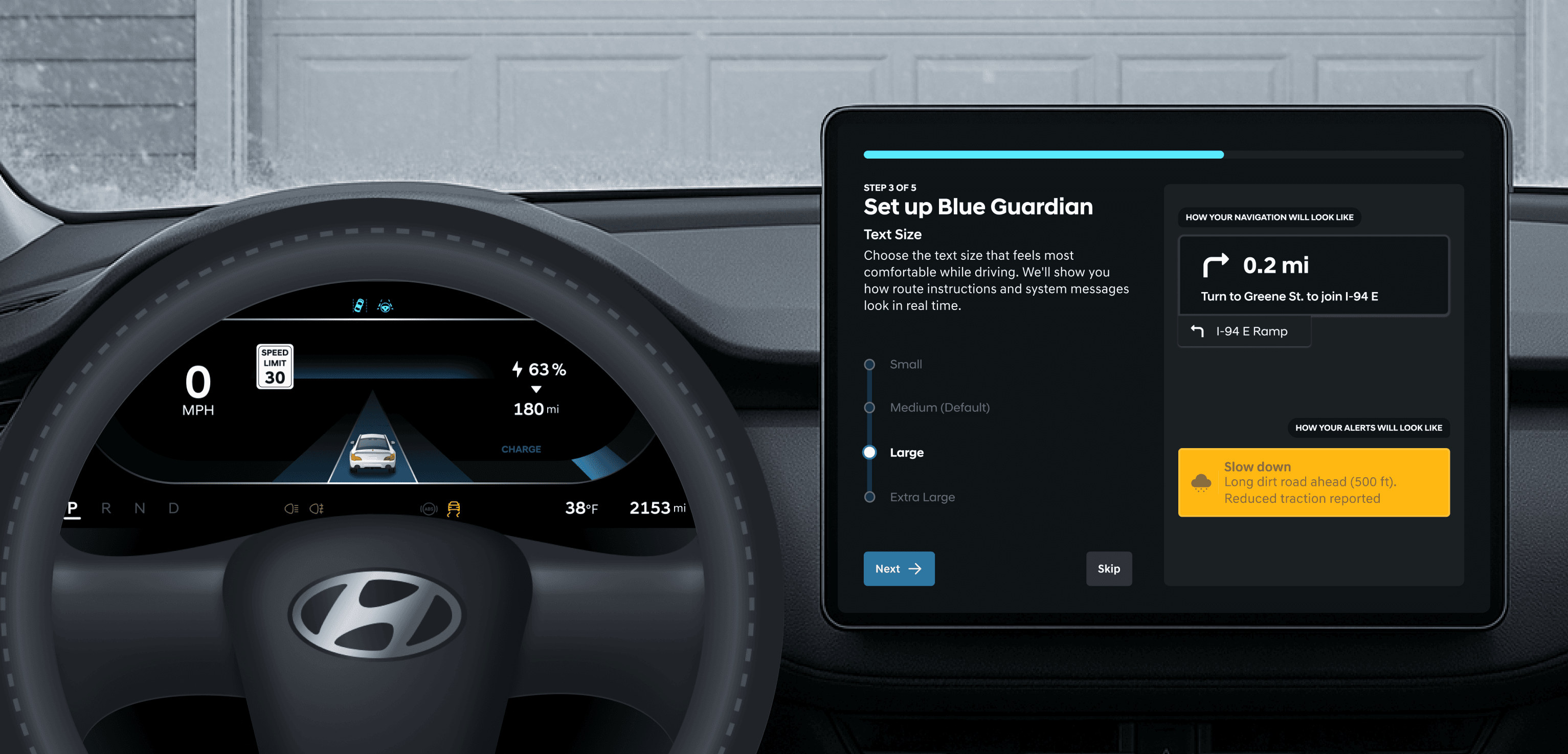
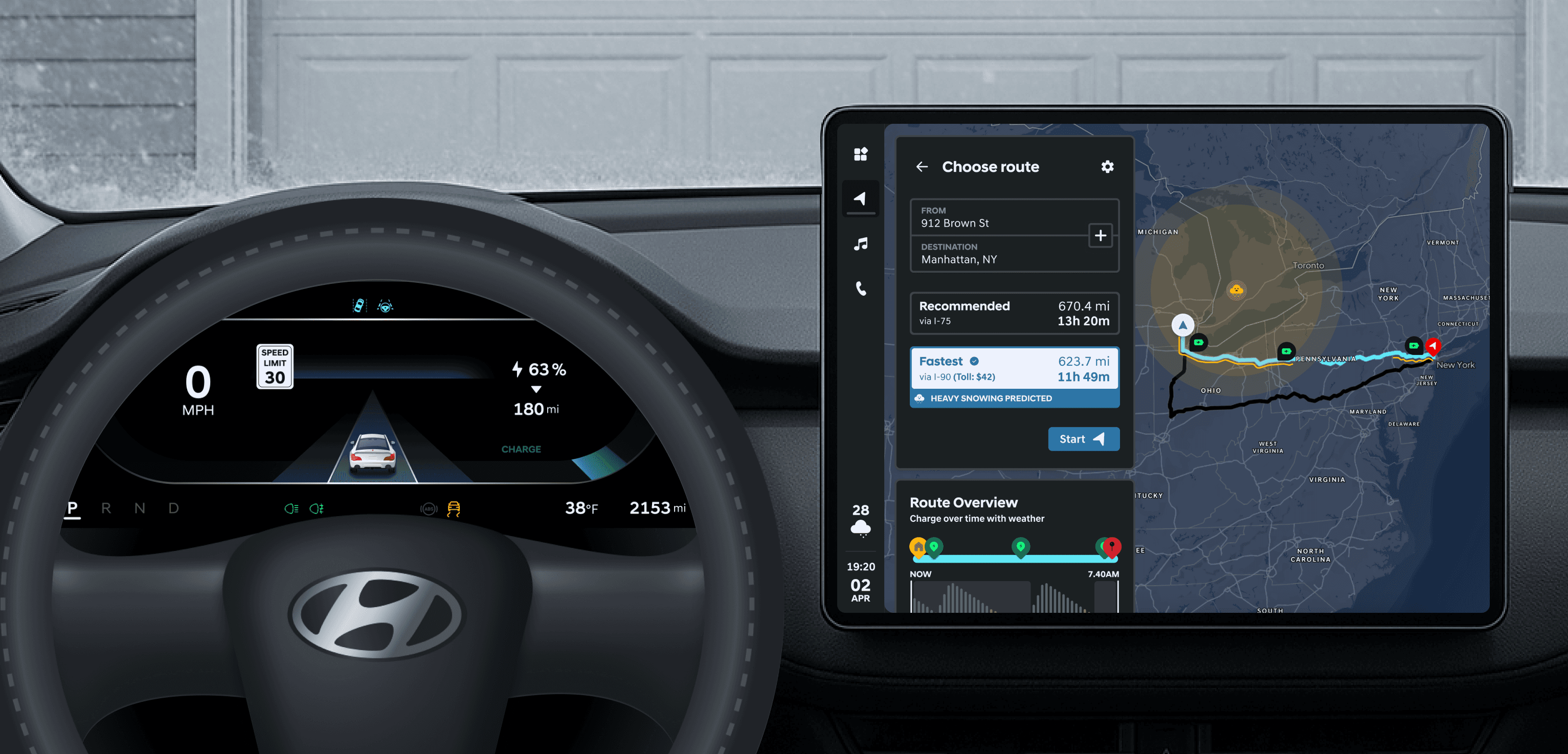
Blue Guardian is an in-vehicle co-pilot that helps drivers navigate winter conditions with confidence by combining real-time weather, terrain, and crowdsourced data. It proactively shows safer routes and timely alerts while minimizing distraction through calm, glanceable guidance.
RESEARCH METHODS
Interviews and Surveys
To ground the project in real driver needs, we began with 9 semi-structured user interviews, capturing firsthand accounts of how drivers perceive AI assistance during stressful driving conditions.
Insights from these interviews informed the design of a mixed-methods survey, which received 60 responses. Analyzing the survey data alongside interview findings helped us uncover three core problem areas and prioritize where AI could provide meaningful support.
Key Insights

Drivers distrust fully autonomous AI in critical moments
Drivers are hesitant to rely on AI that makes decisions independently, especially in high-risk situations where transparency and human control feel essential.
Alerts and information can quickly become distracting under stress
During challenging driving conditions, excessive or poorly timed alerts increase cognitive load and distract drivers from the road.

Existing navigation lacks route-based safety awareness
Most navigation systems optimize for speed and distance without accounting for weather, road conditions, or driver familiarity with the route.
Market Research
In parallel, we conducted market research across four automobile manufacturers (Lexus, BMW, Tesla, Kia) to understand how accessibility and AI are currently implemented. These are the gaps that we noticed in terms of AI use, accessibility, and navigation.
AI is treated as a secondary feature, focused on personalization or convenience rather than being embedded into safety-critical driving workflows.
Accessibility support is fragmented, requiring manual setup and offering limited contextual assistance during stressful driving conditions.
Navigation prioritizes efficiency over safety, relying on third-party APIs that lack detailed, route-specific risk awareness.
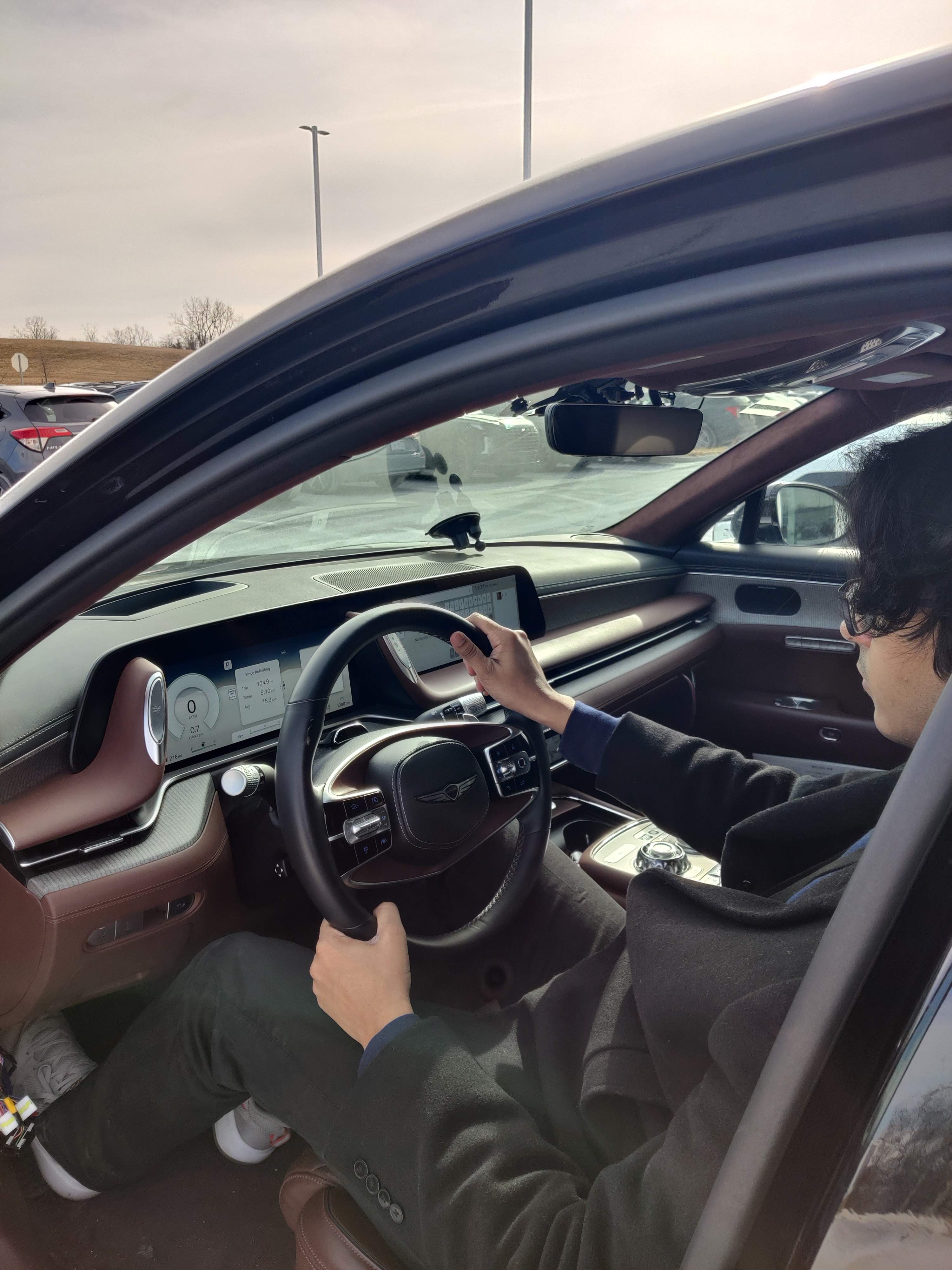
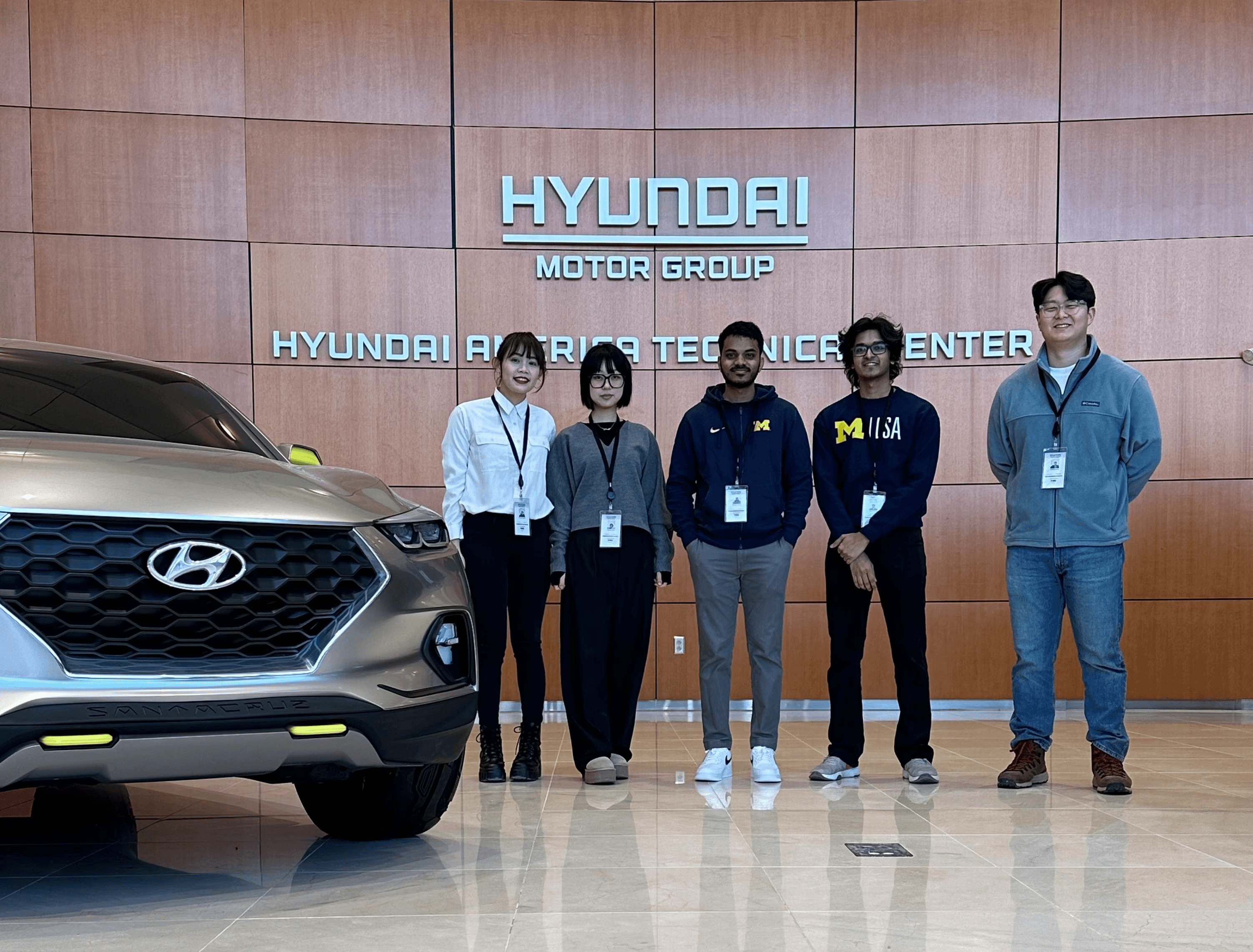
To deepen our understanding, I conducted a site visit to Hyundai America Technical Center, Inc. in Michigan, where I spoke directly with engineers and designers and tested in-vehicle features across Hyundai, Genesis, and Kia vehicles. These hands-on evaluations validated research findings and highlighted gaps between existing systems and drivers’ expectations.
CONCEPT TESTING
Ideation
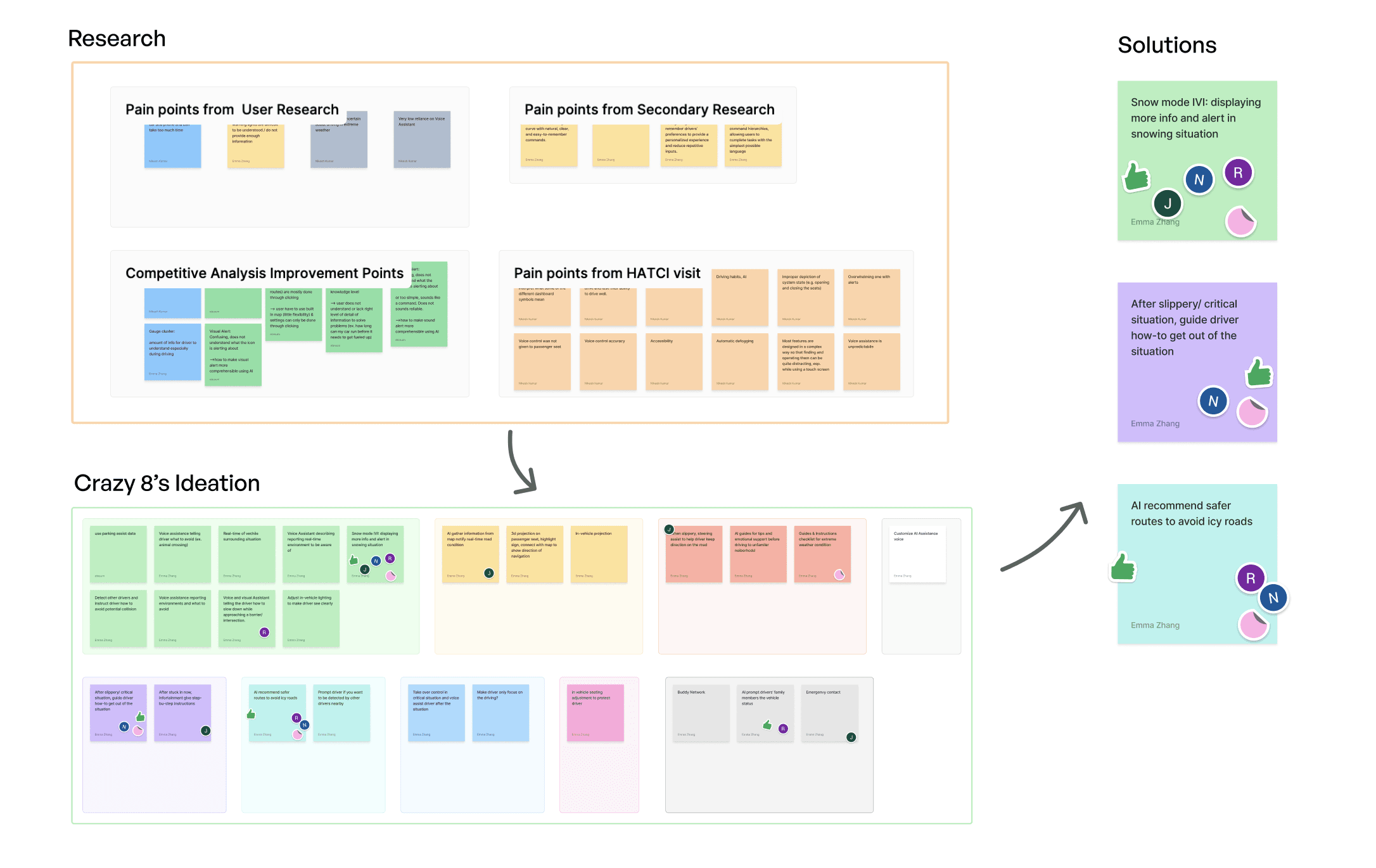
Using Crazy Eights, each team member rapidly sketched eight concepts in eight minutes to explore a wide solution space. We evaluated each idea based on feasibility, user needs, and system constraints, narrowing the set to three directions:
Snow Mode, a personalized dashboard with real-time snow data and emotional reassurance;
Road-Aid Assistant, step-by-step guidance for drivers stuck in snow
Snow-Safe Navigation, route planning that avoids hazardous conditions using crowdsourced data.
We further evaluated the shortlisted ideas and decided to merge Snow Mode and Snow-Safe Navigation into Blue Guardian, a proactive copilot that helps drivers avoid danger. Road-Aid assistant did not have a strong preference among our interviewees as they usually use AAA or call 911 for emergencies.
Testing Low-fi Wireframes
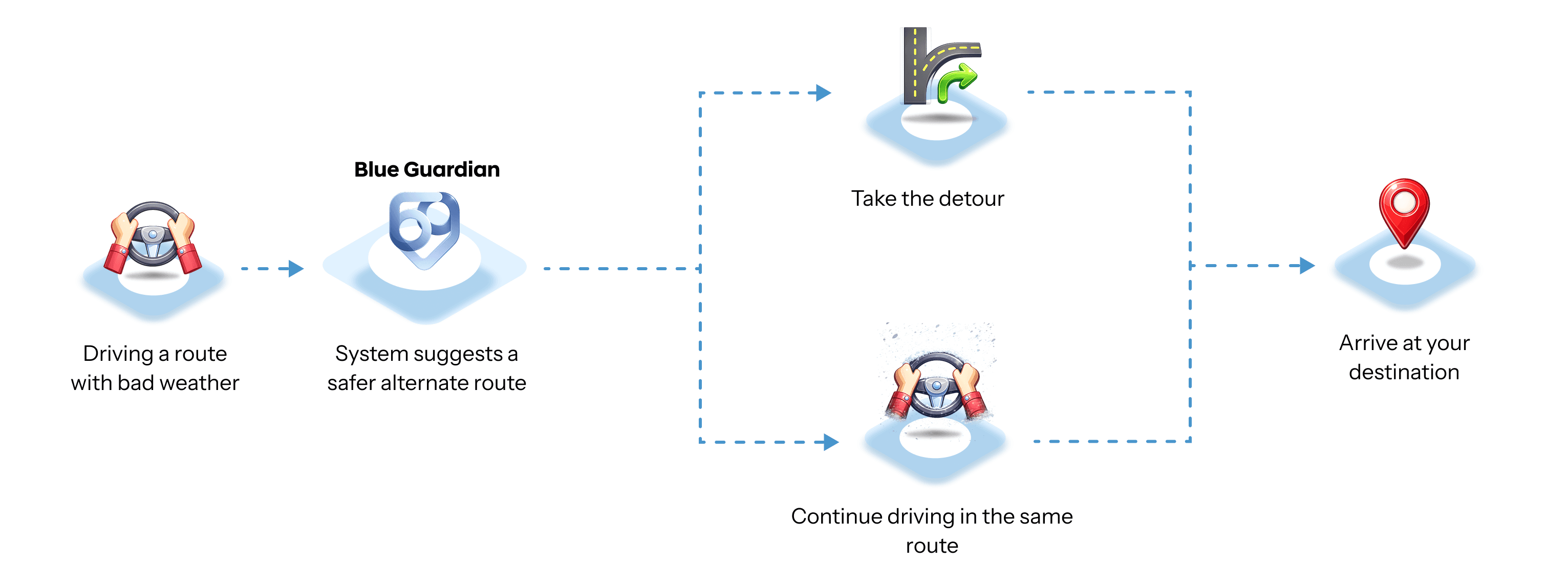
We created a user flow based on the shortlisted ideas and backed by our research insights, such as, avoiding the use of the term 'AI', having the system guide the user rather than functioning on autonomy, and providing multi-modal feedback without being too distracting to the user.
Before Starting the Journey
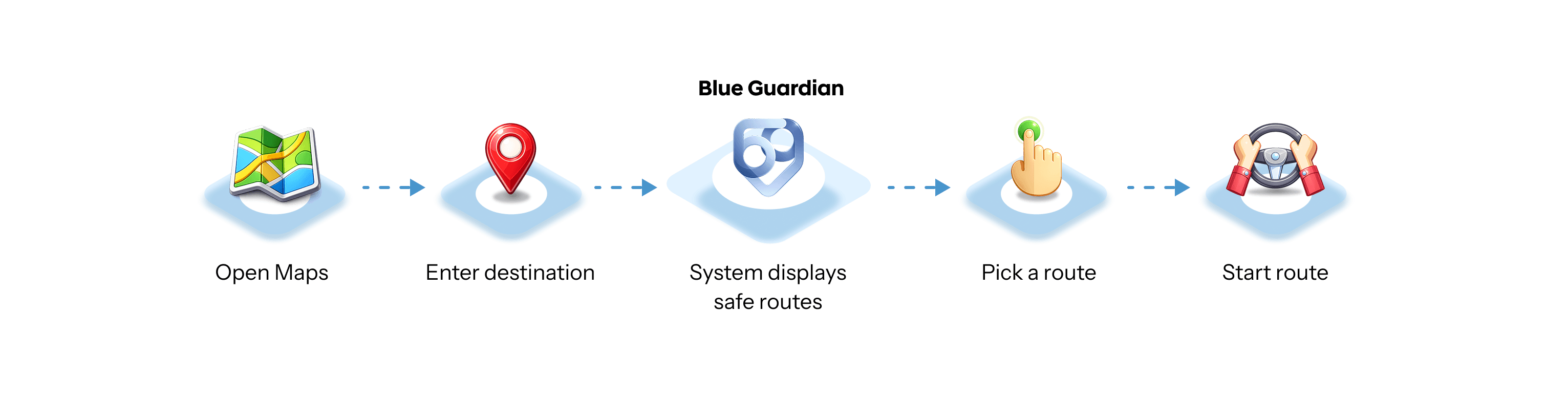
During the Journey
Findings
We also tested screen layouts, notification positioning, and language tone preferences to understand what users felt about the distribution of information from the system.

Feature discovery and accessibility
Users preferred the option which had all key features visible on the home screen.

Subtle notification placement
Users favored placing notifications in areas that have minimal changes to the screen.
Age demographic and language
Younger drivers liked friendly, conversation -based guidance, while older drivers preferred phrasing that felt calm and clear.
KEY FEATURES
DESIGN DECISIONS
Bridging the gap to High-Fidelity
Based on the results and key insights from the concept tests, my teammate and I created mid fidelity designs for the In-vehicle Infotainment (IVI) system and the Instrument Cluster (IC). The focus this time was on including user validated features in a more cohesive manner such as
Using the correct terminology for route types ('recommended' over 'safest').
Incorporating technical feasibility into the system while also reassuring users about safety through supportive language.
Defining hierarchy, consistent colors and motion cues for visual alerts.
Using clear, concise and action-oriented audio guidance to increase user concentration.
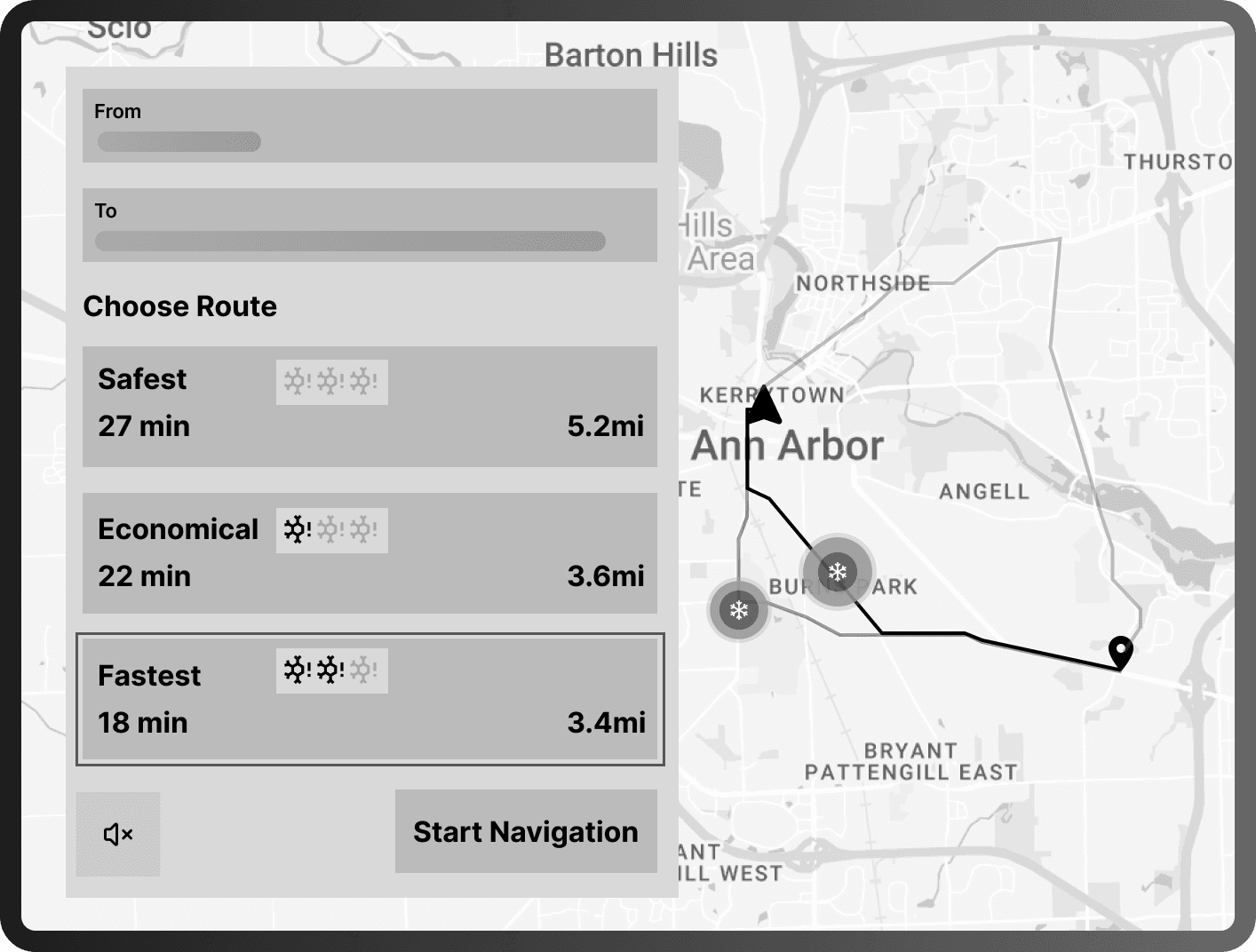
Low Fidelity
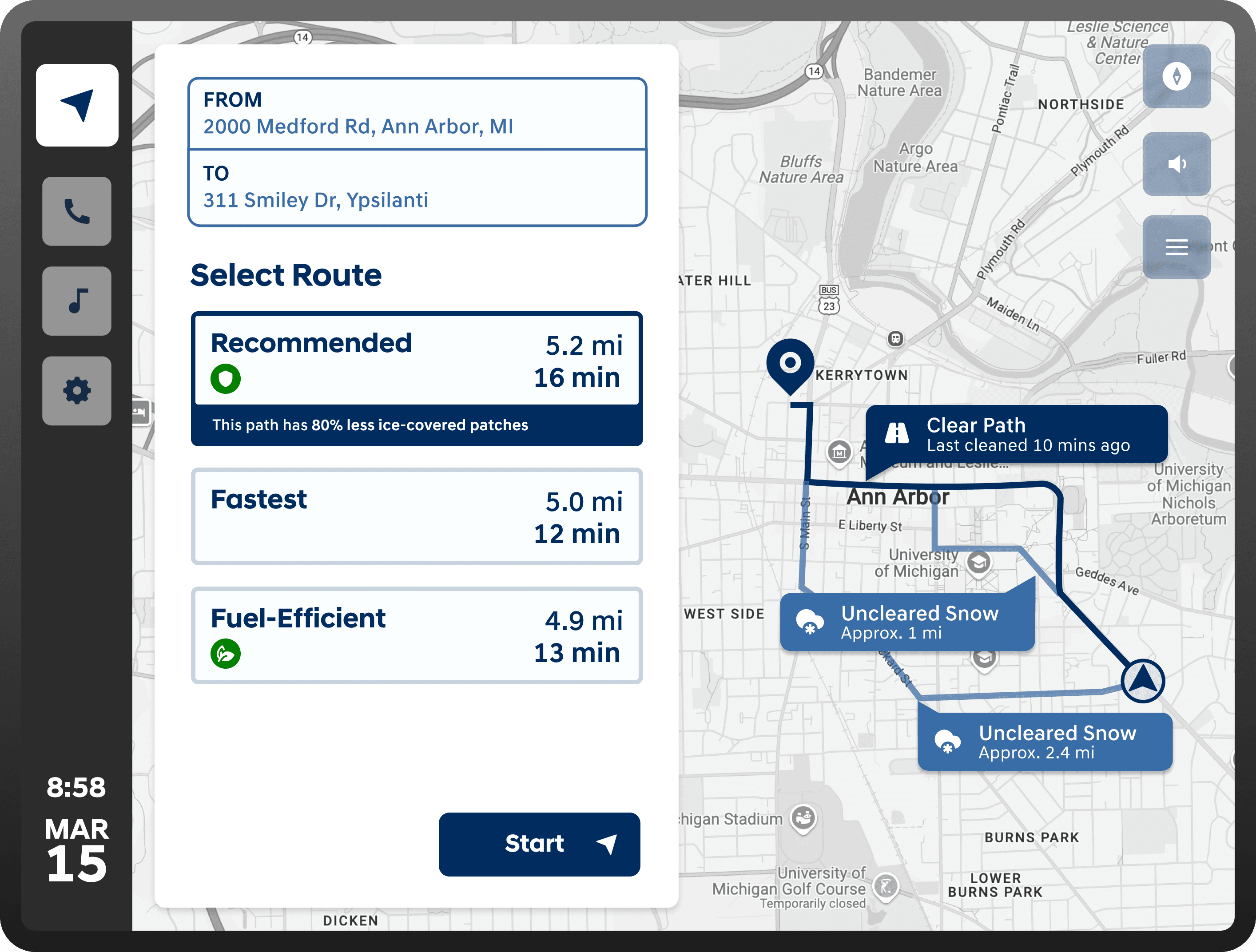
Mid Fidelity
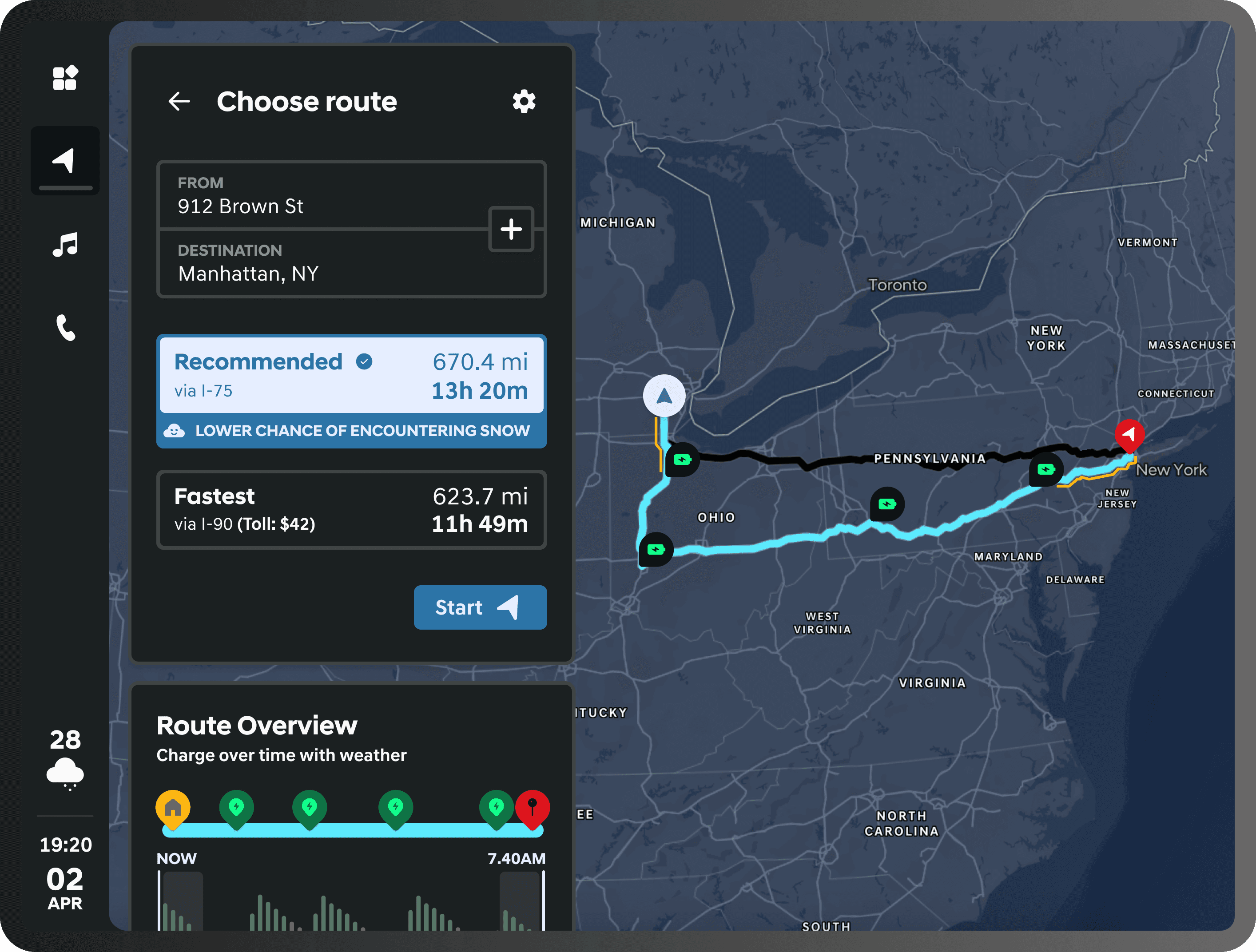
High Fidelity
Design System
While designing high-fidelity screens for the Instrument Cluster (IC) and the IVI, we needed to create an extensive and robust design system to:
Ensure visual and interaction consistency across the system.
Build with WCAG 2.1 Level AA compliant color contrast ratios.
Establish a clear hierarchy for critical information, alerts, and driving states
Support scalability across different driving contexts, features, and vehicle models
Instill the Hyundai Motor Group brand in the look and feel of the system
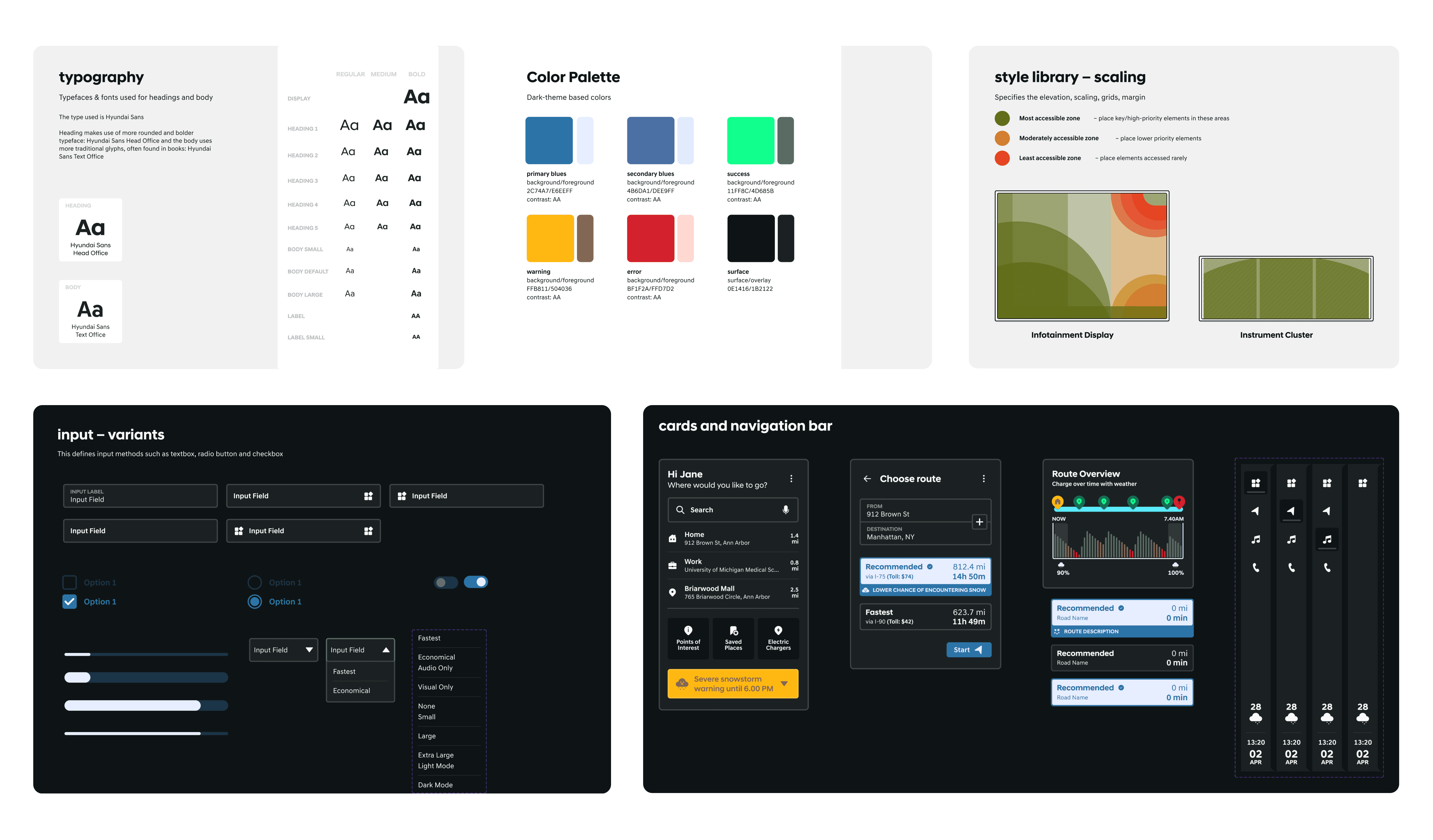
When Art (Design) Imitates Life
The visual language and interaction patterns for both the Instrument Cluster (IC) and IVI were informed by production-ready systems from Kia and Hyundai vehicles currently on the road. Specifically, interfaces such as those in the Kia EV9 and Hyundai Ioniq 5 influenced our use of calm color palettes, layered information hierarchy, and glanceable layouts. Grounding the designs in familiar, real-world vehicle systems helped ensure the concepts felt realistic, trustworthy, and feasible within existing automotive UX conventions.
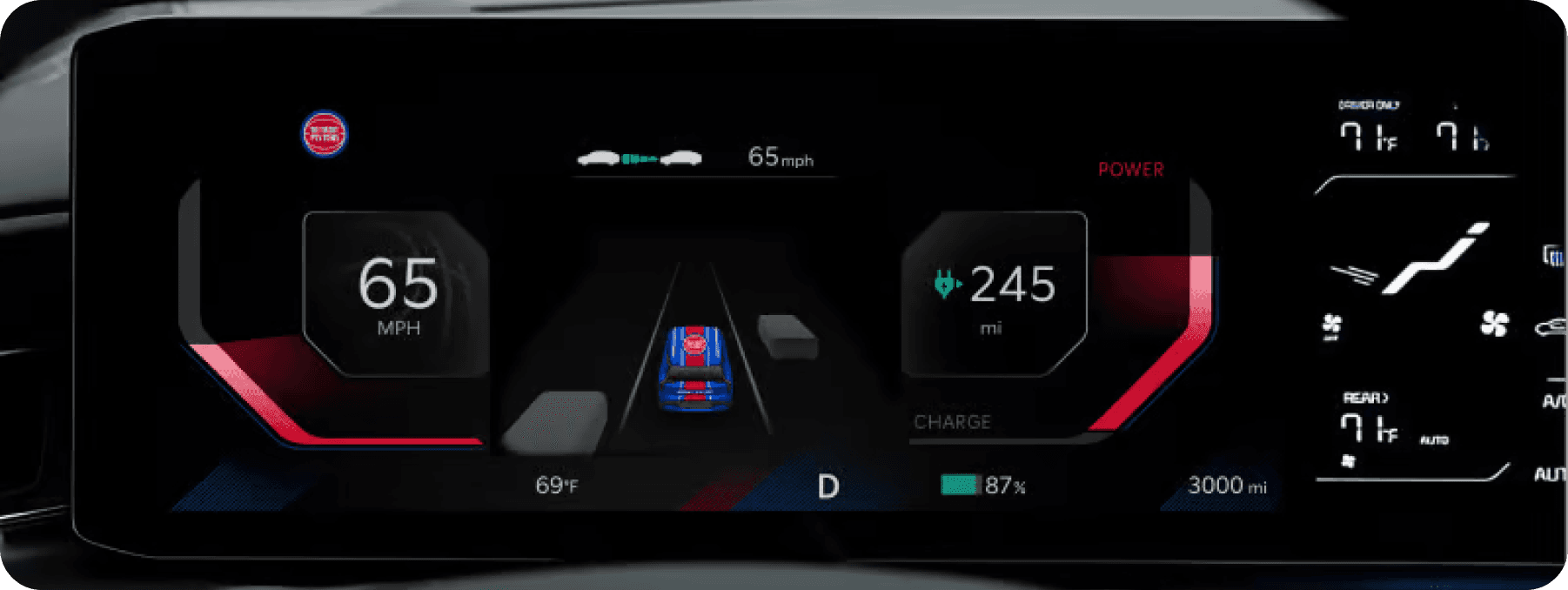
Kia EV9
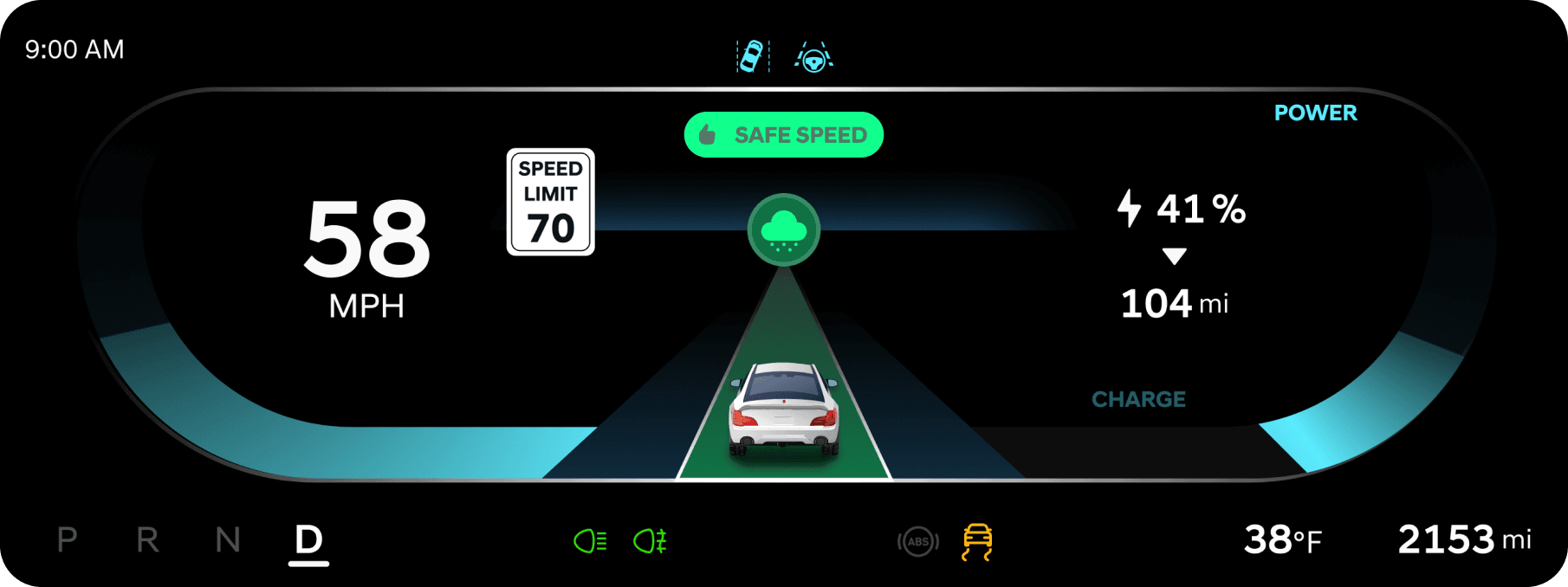
Blue Guardian
RESULTS
Average System Usability Scale (SUS) Score: 95/101
100% task success rate across all testing scenarios
85% of participants said they would use this feature in winter conditions
All participants correctly understood route safety comparisons
Our team presented the prototype to stakeholders at Hyundai America Technical Center, Inc. (HATCI) in Ann Arbor and Irvine through a virtual presentation. We also created a tri-fold poster and showcased the project at the University of Michigan School of Information Project Exposition.
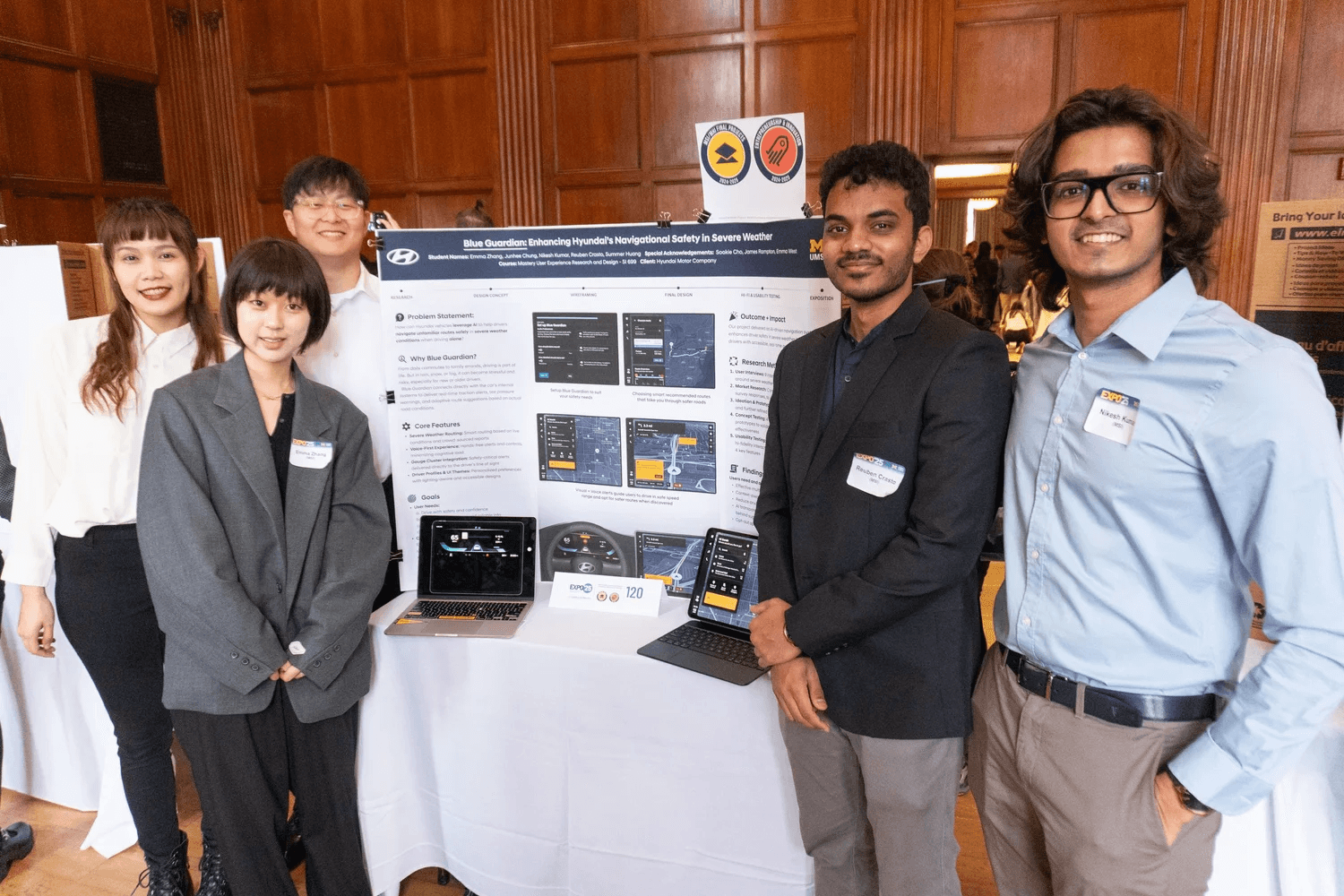
UMSI Exposition 2025
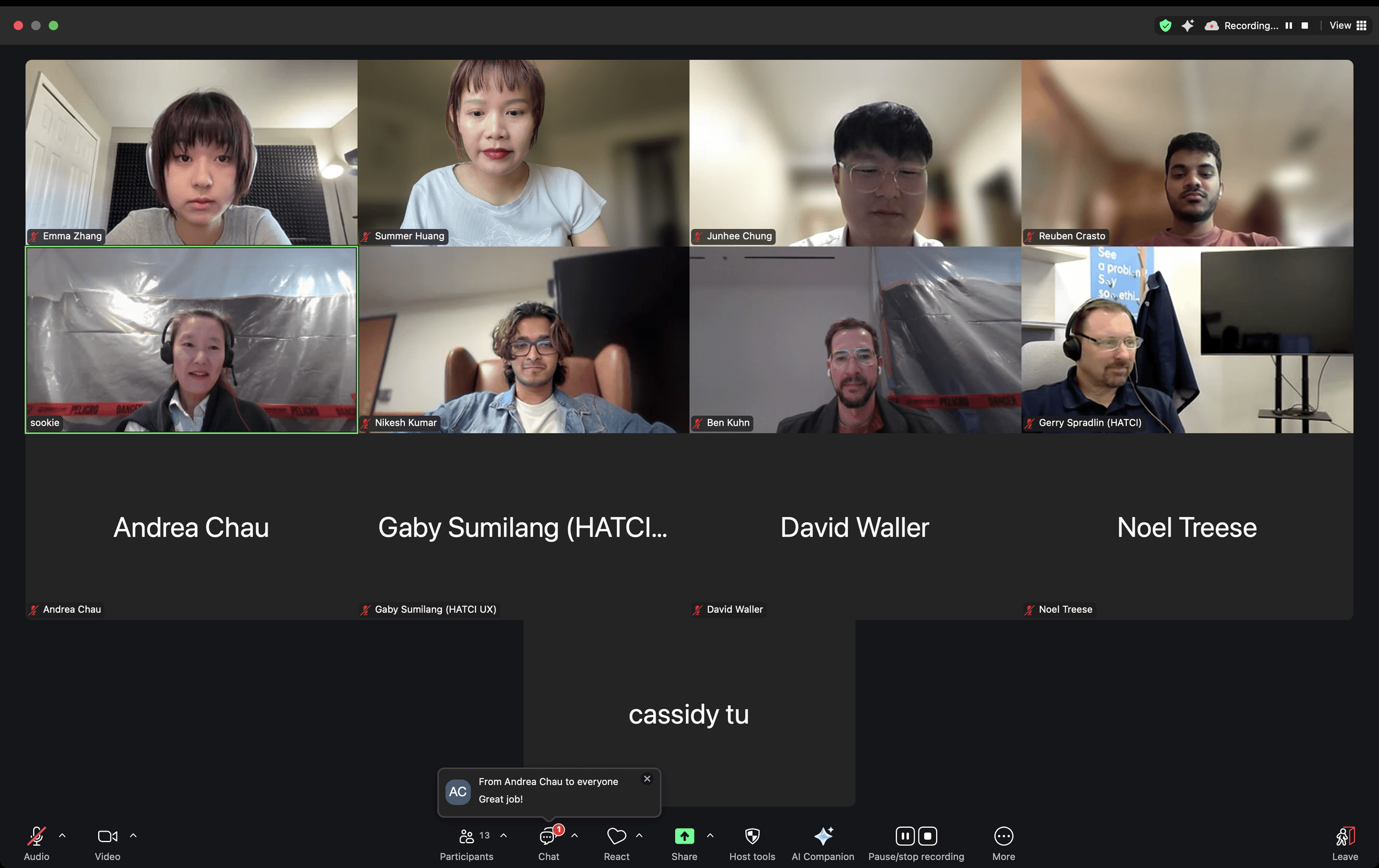
Presenting to the HATCI Team based in Irvine, CA
REFLECTIONS
Pausing to reflect is sometimes the most important design decision
When research started pulling us away from the core problem, taking a step back to reassess helped us avoid solving the wrong problem and allowed us to pivot toward a clearer, more relevant direction.
Aligning on systems before screens saves time later
Investing early in defining shared systems, guidelines, and design principles made the transition to high-fidelity screens faster, more consistent, and significantly more efficient.
Small changes in language can reshape user perception
I learned how UX writing plays a critical role in trust and usability, where even subtle shifts in tone and wording dramatically influenced how users interpreted and reacted to the interface.
Overall, this project reinforced that trust in driving assistance doesn’t come from how advanced a system is, but from how clearly it explains itself and supports people in real, high-stress moments.